Equipment
UTX Freight provides a simple way of managing your equipments.
Managing the Equipment list
The equipment list can be found in the left menu Equipments. It provides multiple filters, search and exports to CSV options. Currently the system supports 3 different Equipment Types out of the box
- Chassis
- Trailers
- Trucks
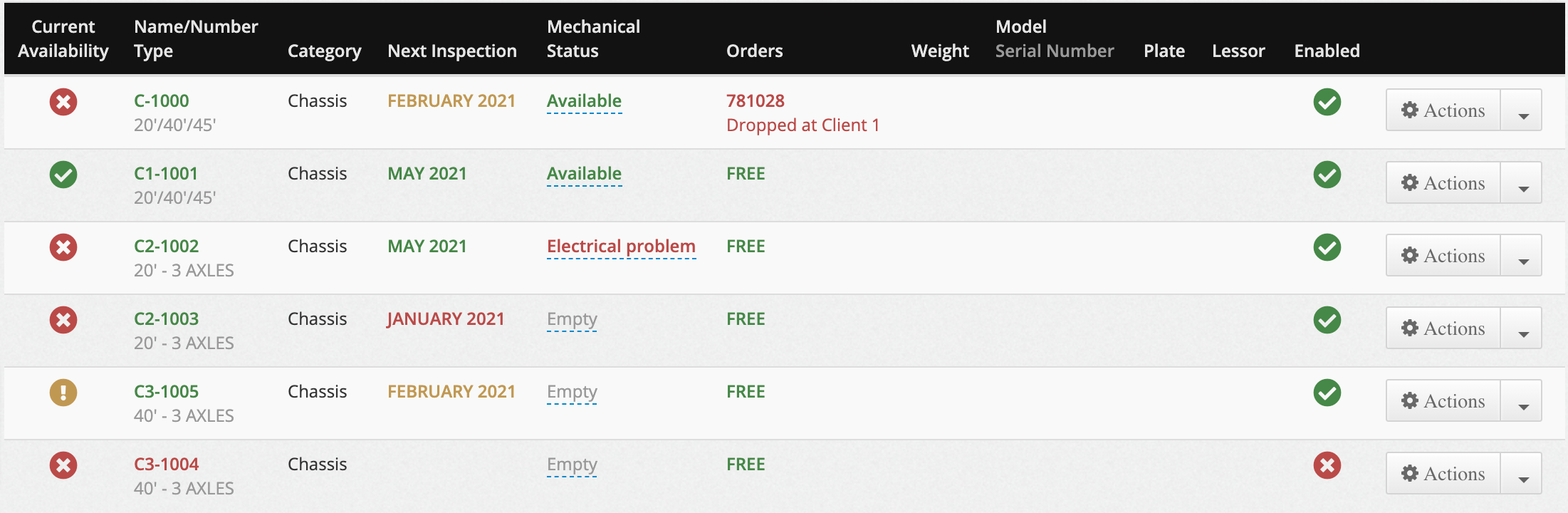
Current Availability Status
Each Equipment has a current availability status which is evaluated based on the combination of the following attributes
- Active Status
- Inspection Status
- Mechanical Status
- Assignment Status
Active Status
The active status is simply determined by the Enabled / Disabled attribute of the Equipment. Any disabled equipment will no longer be assignable to Orders.
Inspection Status
The inspection status can have 3 different states
- In compliance
- Due
- Past Due
The status is determined based on the Next Inspection Date set by the user.
- When the next inspection date is in the future, the inspection status will be In Compliance
- When the next inspection date is this month, the inspection status will be Due
- Finally, when the next inspection date is in the past, the inspection status will be Past Due
Mechanical Status
The mechanical status determines if the equipment has any mechanical issues. The system supports various problems that can be set on the Equipment
- Flat Tire
- Electrical Problem
- In Garage
- Being Repaired
- At Inspection
- Other Problem
Whenever one of the previous status is set on the equipment, the equipment will display an error message when assigned to an Order.
Assignment Status
The assignment status determines if the Equipment is currently assigned to an Order in progress. Equipments should only be assigned to one order in progress at any given time. The system will display an error if the Equipment is assigned to additional orders. The following Order statuses are considered in progress
- New Order
- Appointment Taken
- Dispatched
Therefore, Completed orders will not affect the assignment status of the Equipment and will flag them as Free.
Equipment Assignment
The equipment assignment can be done from the Orders page or from the Dispatch page. Each order row contains a button which triggers the display of the Equipment Assignment Window.
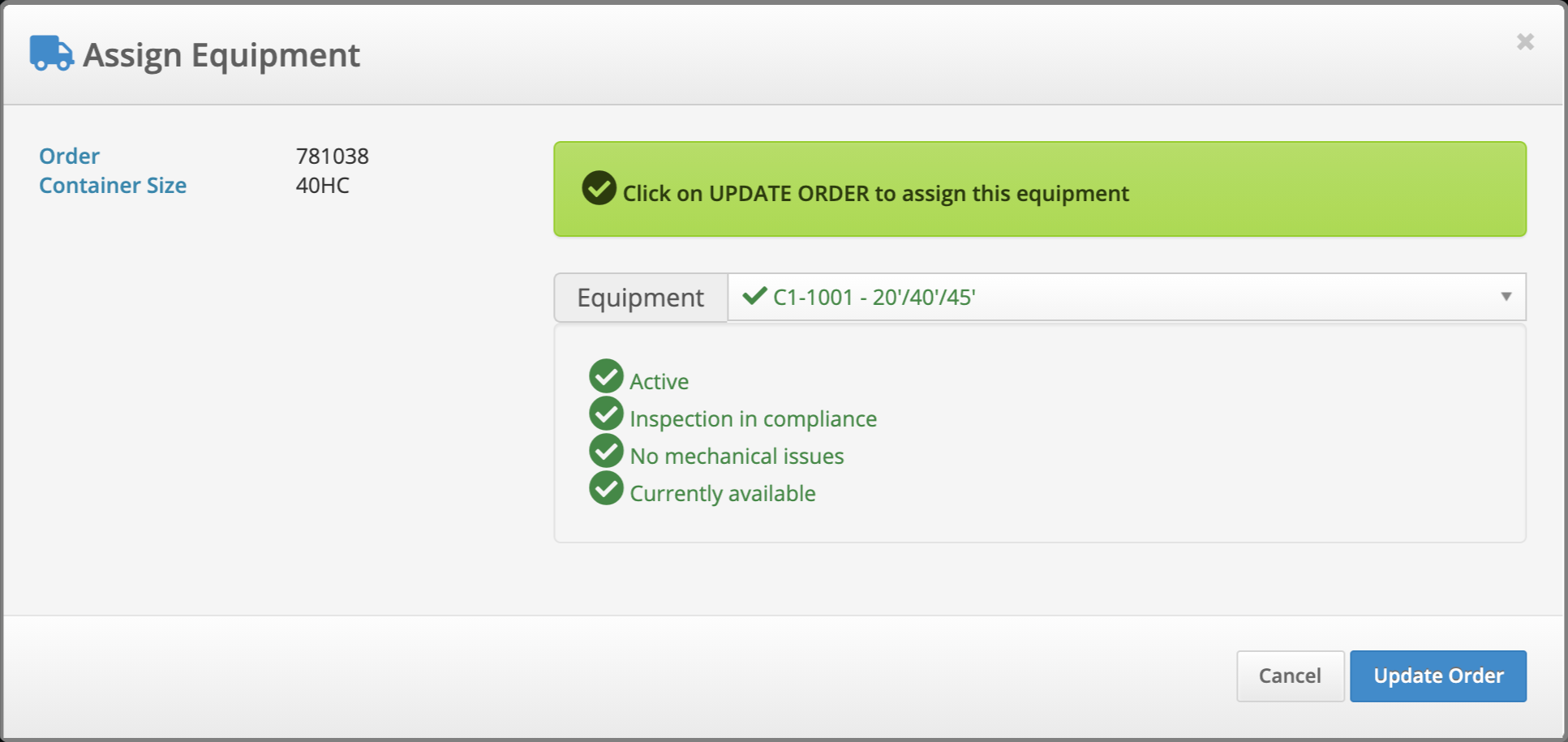
Every time you select a different equipment, the Availability Status will be updated for the new equipment to help you dispatch the correct Equipment for the given Order.
Equipment Types
Currently the system supports 3 equipment sub types out of the box
- Chassis
- Trailers
- Trucks
Equipment Types can be added from Your Name -> Equipment Types menu at the top right of the application.
